How to connect your Newegg channel
After adding your Newegg channel, you can follow the steps below to connect it to your Newegg account:
1. Log in to your Store Automator account. On the left upper corner, click “+” sign and select your Newegg channel.
2. On the left side menu, click Channel > Channel Settings > API Connection.
3. Log in to your Newegg seller central account.
4. Under the API settings, select the Auth a Developer tab and click Authorize
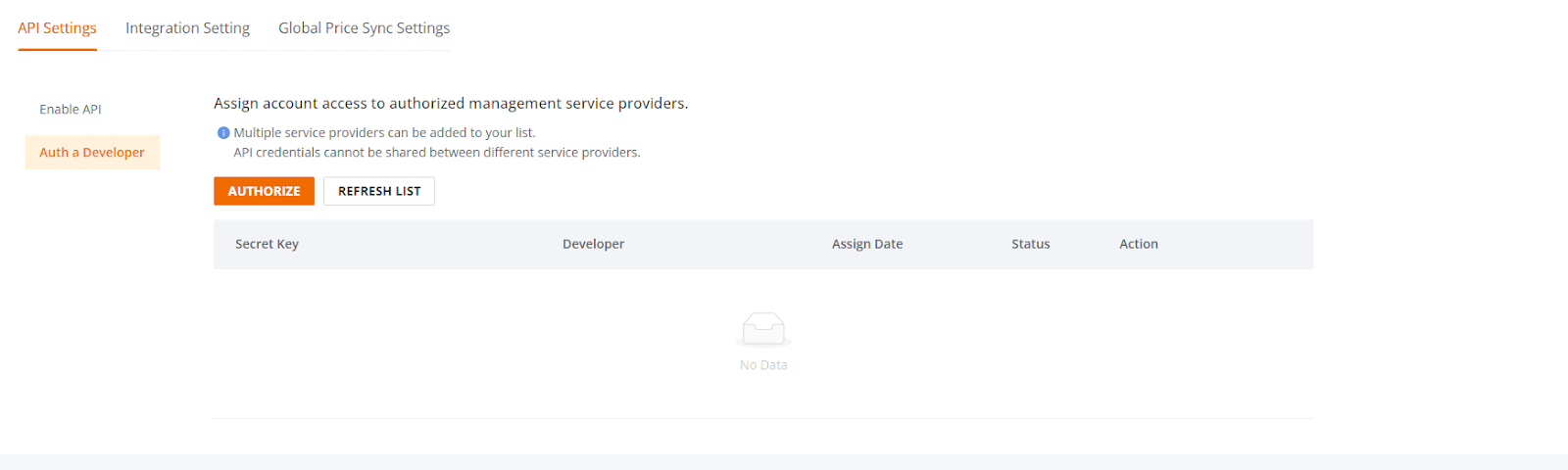
5. Copy the API Secret and Seller ID and paste it in the corresponding empty fields in our StoreAutomator dashboard under API Connection tab.
6. Click “Save”
Now your channel should be connected to your account!